
This definition creates a Plane with 3 markers from an object being tracked. A plane can be used to orient geometry as you create it. In this case we will be creating a plane that we will use to cut a cube.
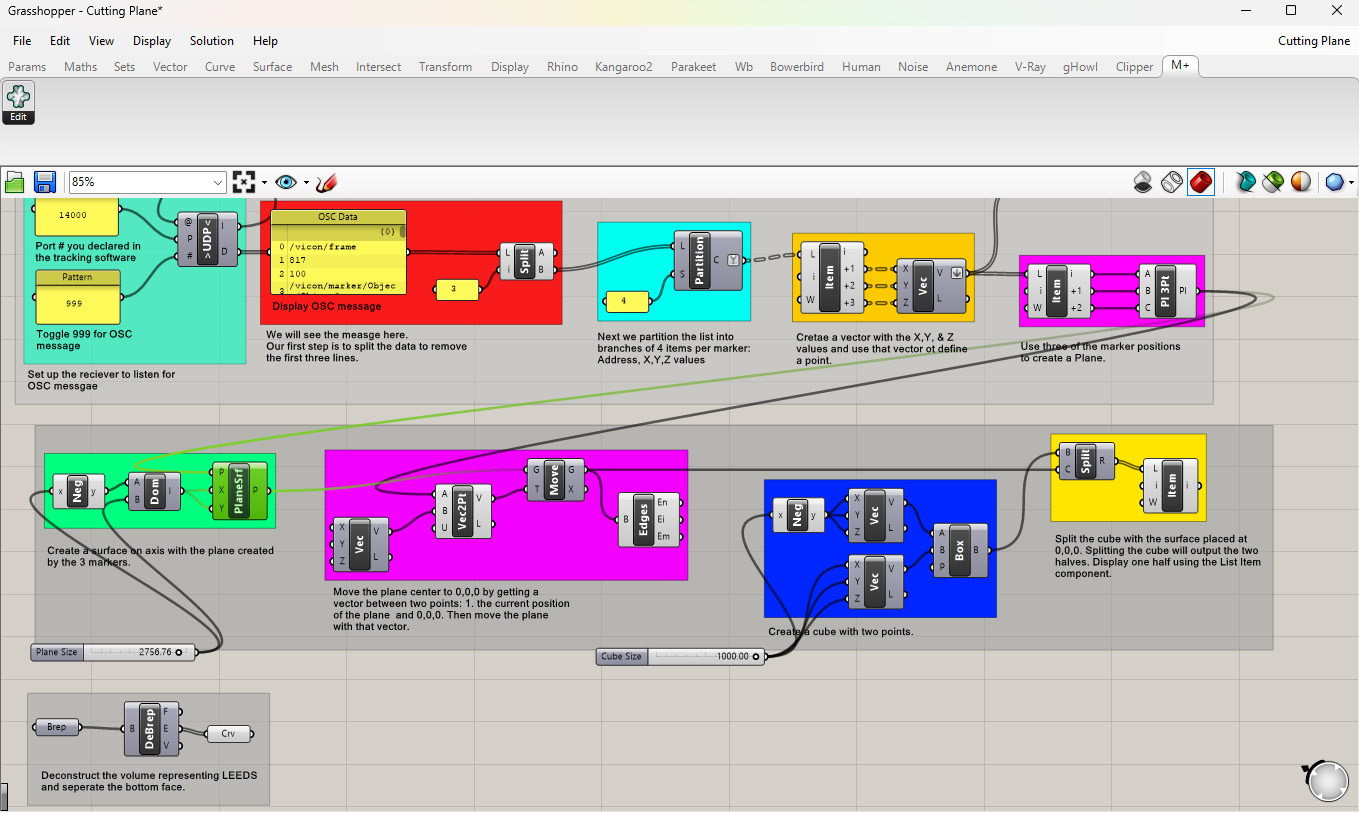
1. The first step is to use the List Item component to get the coordinates of 3 markers.
2. Use these 3 points to create a plane using the Plane 3Pt component.
3. Create a surface with the plane plugged into the first input of the Plane Surface component. The surface center and orientation will match the plane’s.
4. Move the surface to 0,0,0 by getting a vector between the current position of the plane and 0,0,0 using Vector 2Pt. This way the surface does not move around.
5. Create a cube and then use the surface to split the cube with Split Brep. This will result in two pieces of geometry. Use the List Item component to view one of the two outputs.
Download the above definition here: Cutting Plane