
There are many cases where you may want to remap the values you are receiving from the marker’s X,Y, and Z coordinates. LEEDs studio is approximately 7800 mm wide. If you want to use the X value to create a circle with a radius between 0 – 10 units, then you would need to remap the X coordinate value which has a domain of 0-7800 to a value that has a domain of 0-10.
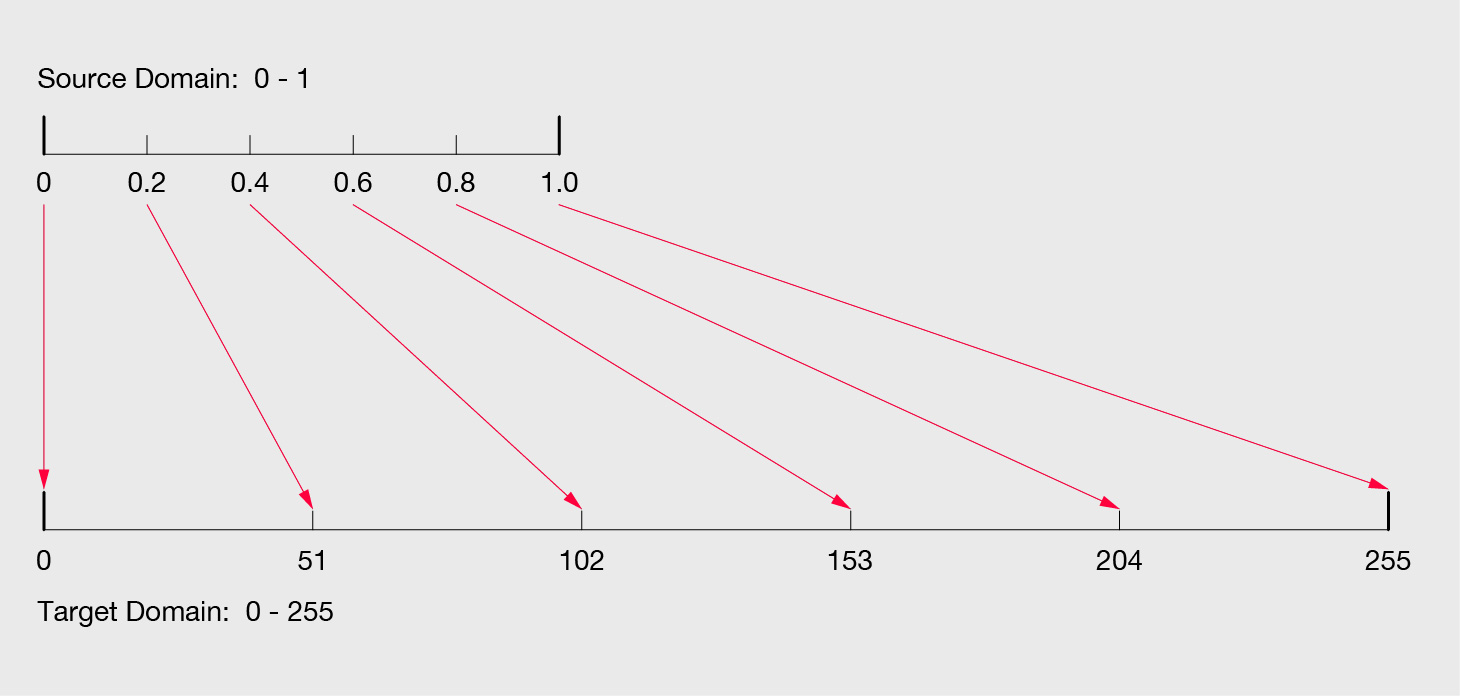
The above diagram shows how numbers form 0-1 would be remapped to a domain of 0-255. In this example we will remap the X,Y, and Z values of an individual marker to a domain of 0-255 to recreate there spatial coordinates as RGB color values.
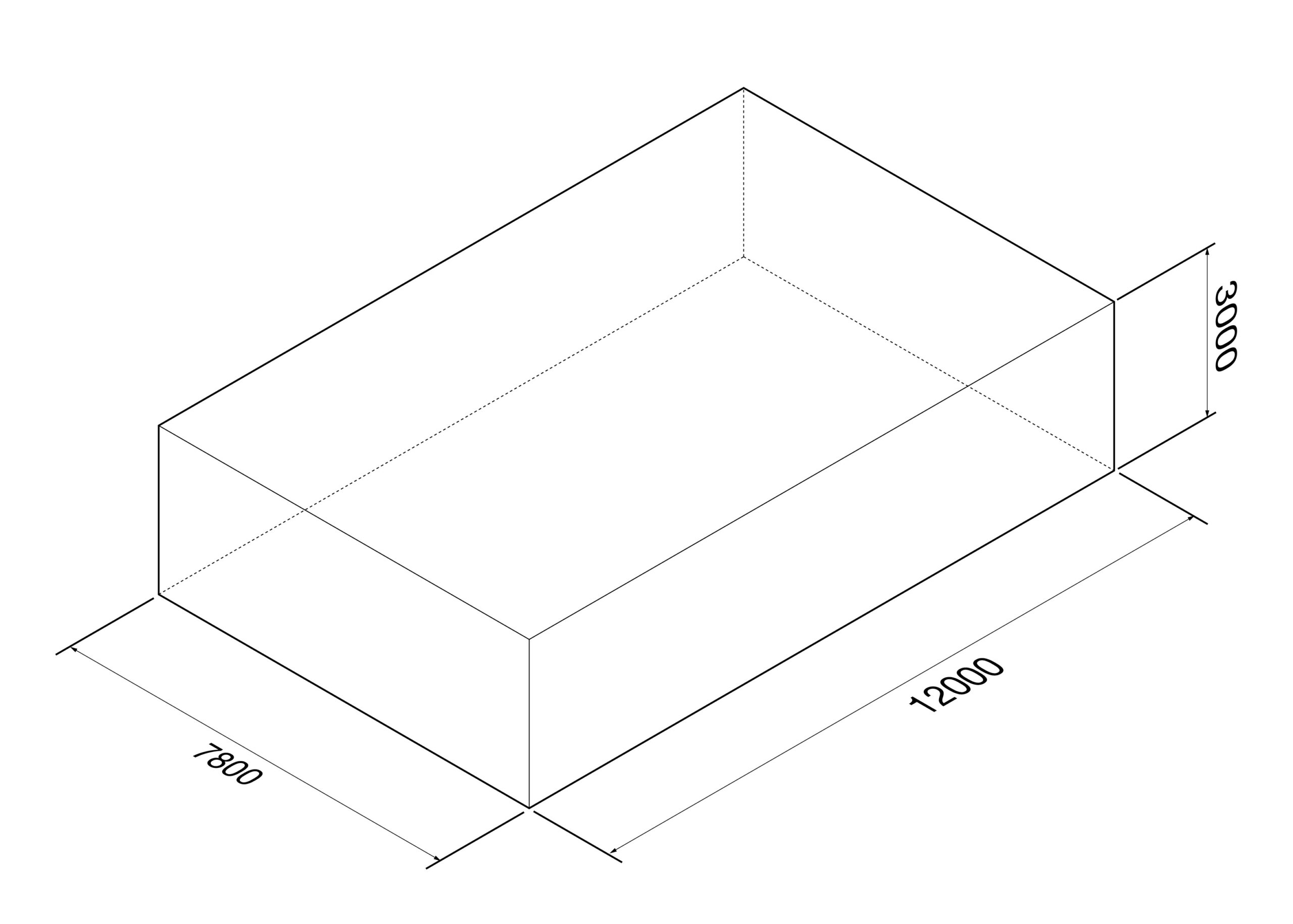
Volume of Leeds Studio in millimeters.
In the above example we are remapping the X,Y, and Z values of a single marker to RGB color values. We will use the bounds of Leeds Studio as the initial domain to remap the spatial coordinates:
X: start domain -6000 to 6000 and target domain 0 to 255
Y: start domain -3900 to 3900 and target domain 0 to 255
Z: start domain 0 to 3000 and target domain 0 to 255
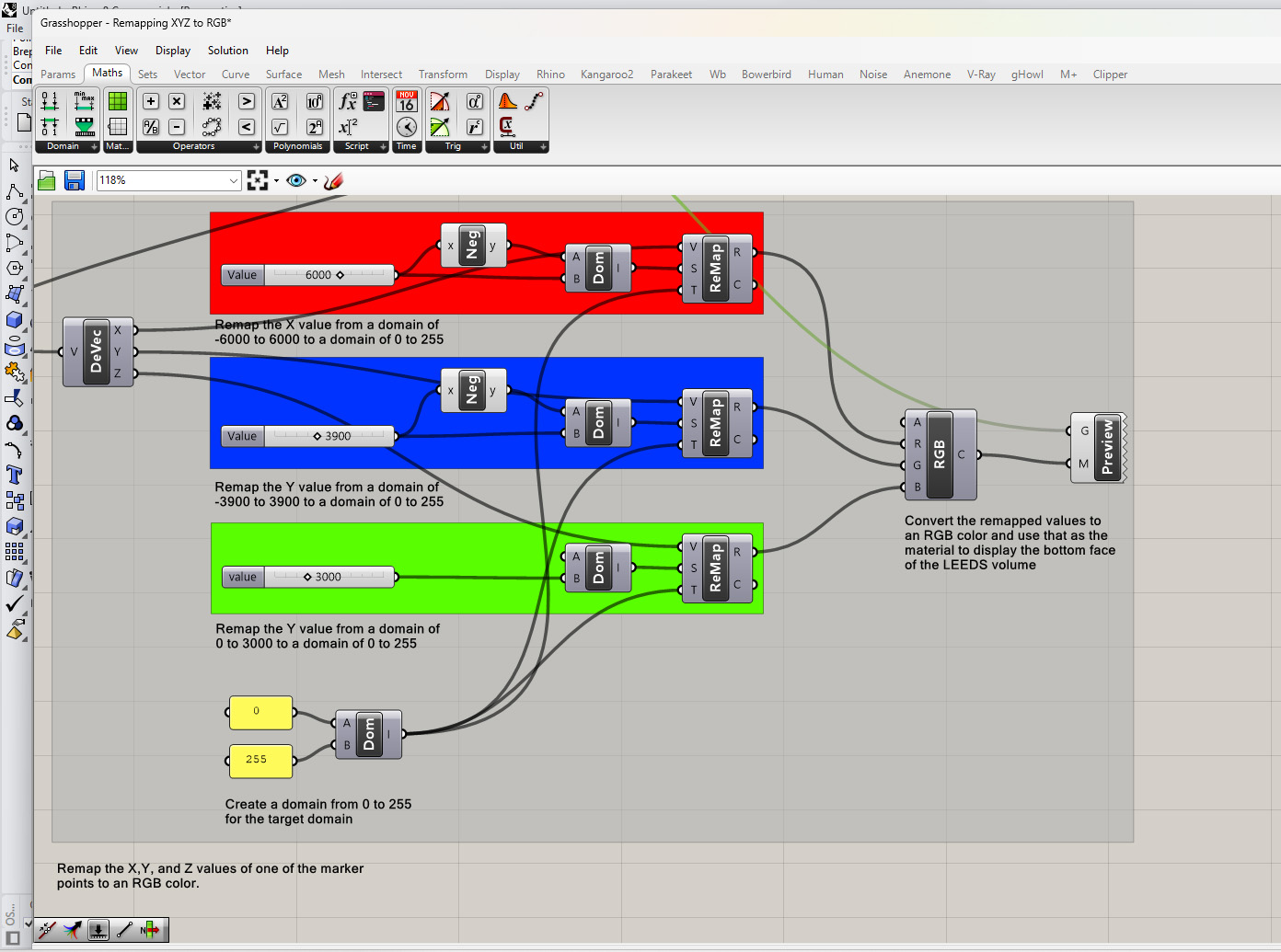
The main components we will use to remap the X,Y, and Z values are:
- Construct Domain this component takes two inputs: Domain Start and Domain End.
- Remap Numbers this component takes 3 inputs: Values, Start Domain, and Target Domain.
You can download the above definition here: Remapping XYZ to RGB