
This definition is similar to the previous surface tracking definition except it keeps a record of where the object has been. Rather than the Z value of each point being directly related to the distance of the object, this definition adds to the Z value of each point each frame the object is within the distance threshold of that point.
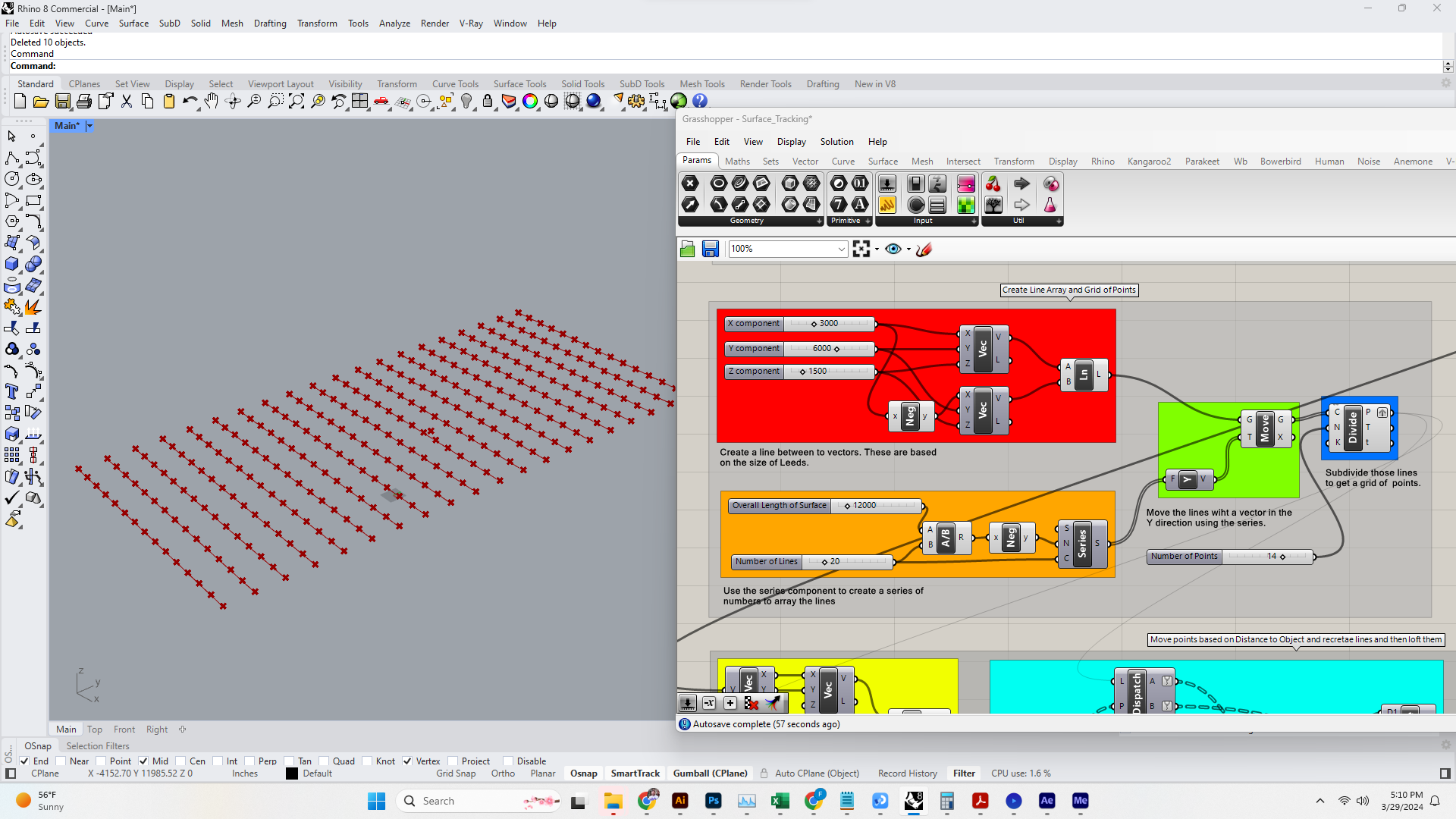
1. Just as before, the first thing we will do is set up the array of points. You could do this with a grid component, but since we want to create a surface which will be a loft of curves. We will start with a single curve and then array that. Once we have an array of curves we can use the Divide Curve Component to get a set of points arrayed along the curves.
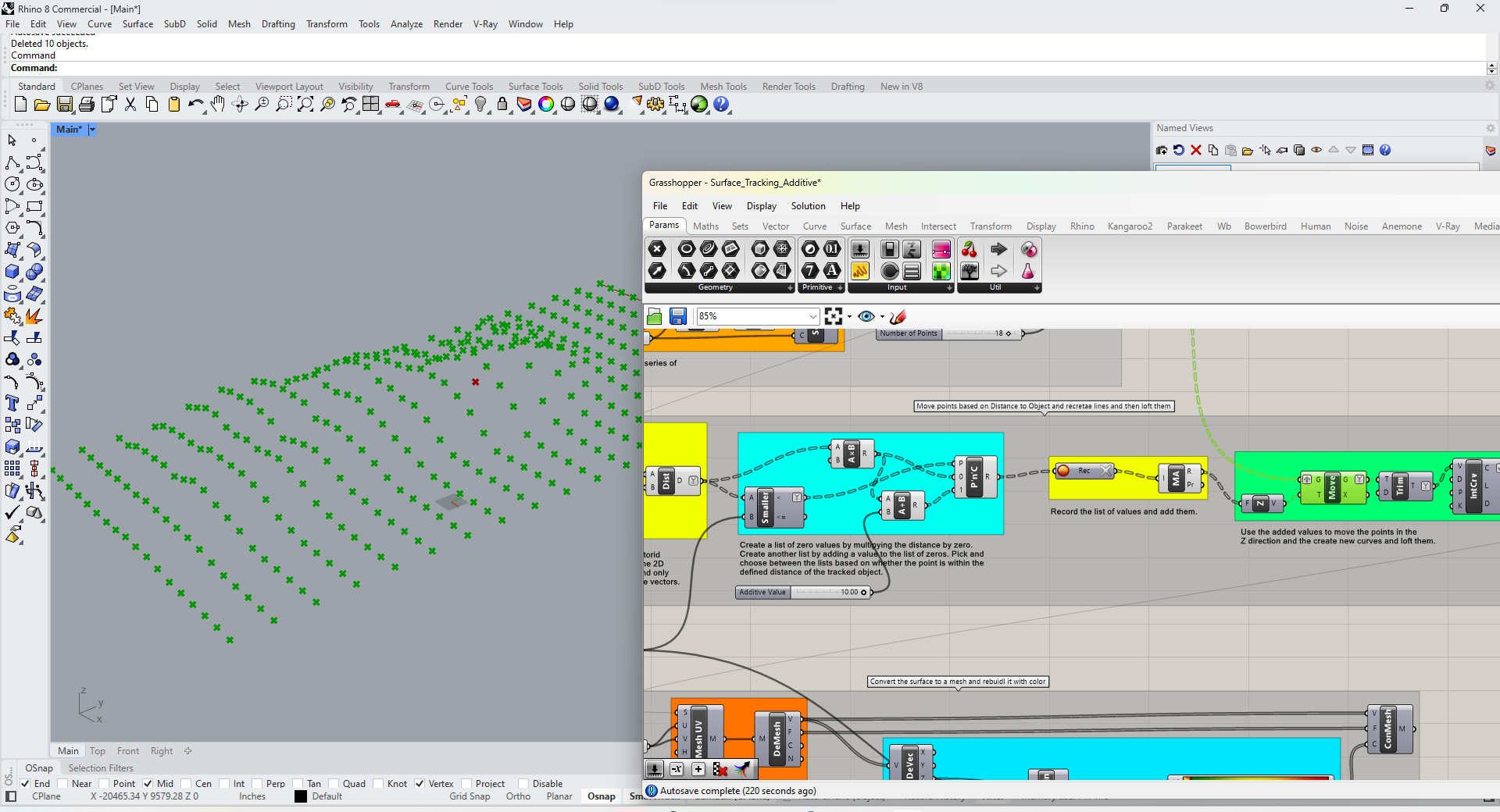
2. This is main difference between the definitions. We create a list of values set to 0 the length of our point list. We then create another list where we add a value to those 0s. Each of the values in the lists corresponds to a point. We use a Pick and Choose Component to pick a value from each list based on whether the point is within the distance threshold fort he object or not. We then record the values in the new list and add the values in each branch (corresponding to each point). We then use that as the Z value for each pint.
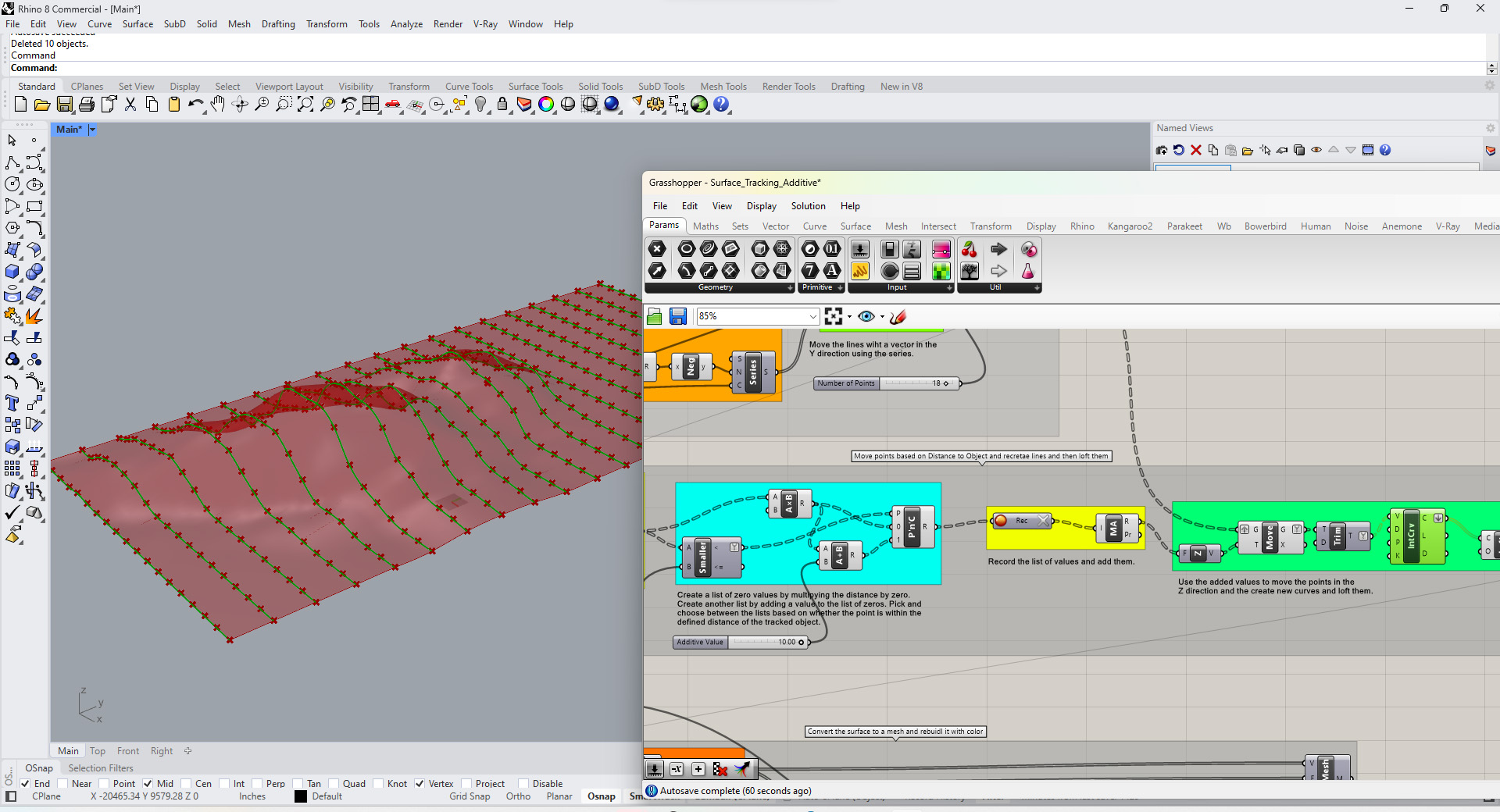
3. Same as the previous definition: Be sure to keep the branch structure of the new points. This will allow you to make a set of curves with the points. Then you can loft those curves to create a surface.
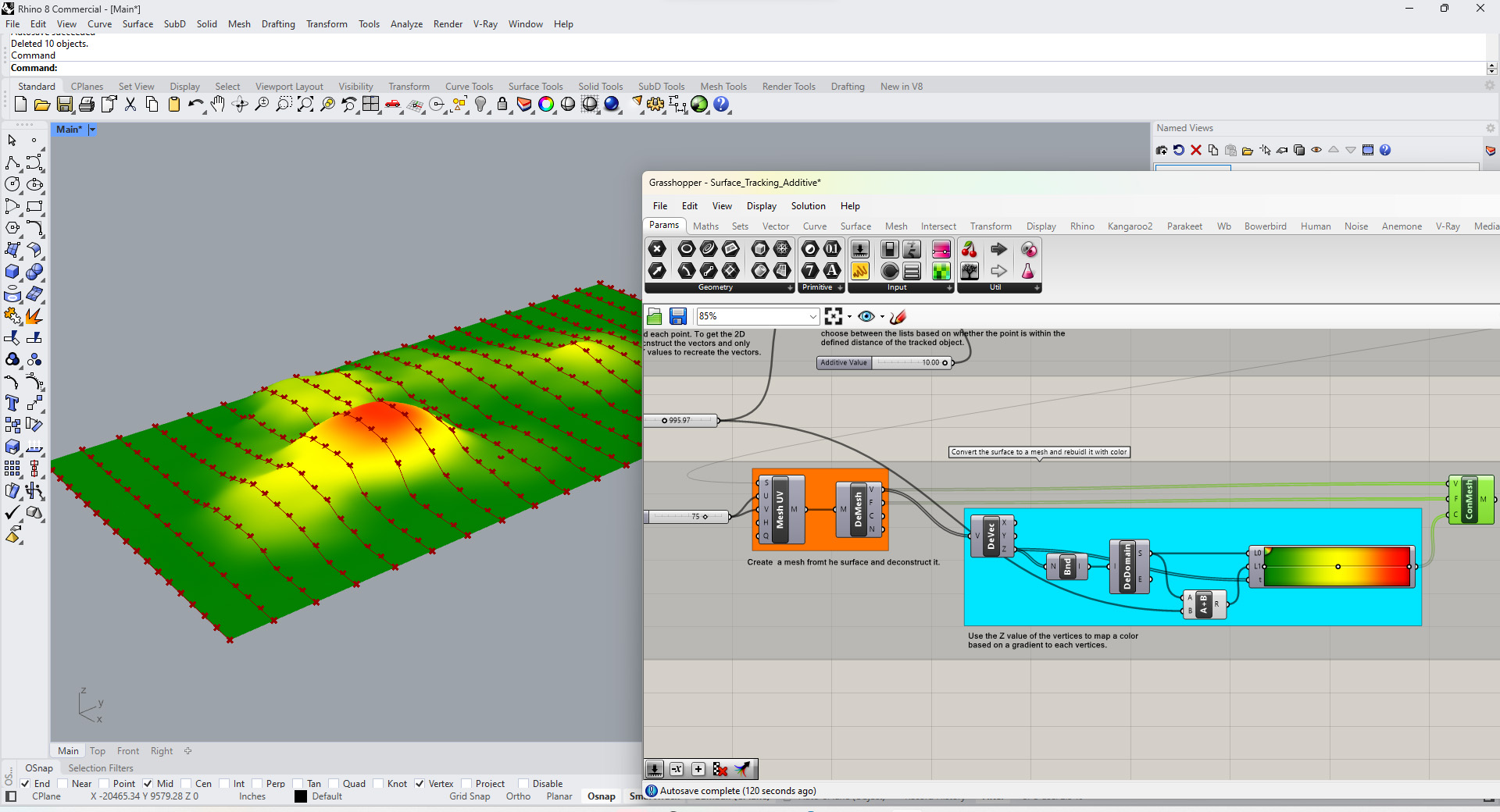
4. Same as the previous definition: To map a gradient based on height of the surface we need to create a mesh and then rebuild it. Once we convert the surface to a mesh we can deconstruct the mesh and then recreate it with its vertices and faces. We can give each vertices a color based on its Z value mapped to a gradient.
You can download the above definition here: Surface_Tracking_Additive